
Just Enough Items The Definitive Minecraft Survival Guide
Learn how Just Enough Items works in Minecraft, from recipe lookup and search filters to Cheat Mode, modpack integration, installation and setup.
Staring at an unknown glowing crystal in a custom modpack with absolutely zero in-game context is incredibly frustrating. Nobody wants to pause their session to dig through outdated wikis and chase dead links just to figure out if a new gem belongs in a magical altar or an industrial pulverizer. You launch Minecraft to actually explore and build instead of doing administrative research.
Just Enough Items was created by mezz in 2015 as the definitive successor to older inventory managers. This project drops a fully searchable real time recipe database directly into your active screen.
Reaching well over 600 million downloads proves this tool remains an absolute mandatory foundation for any modified setup.
Mastering The Interface Experience
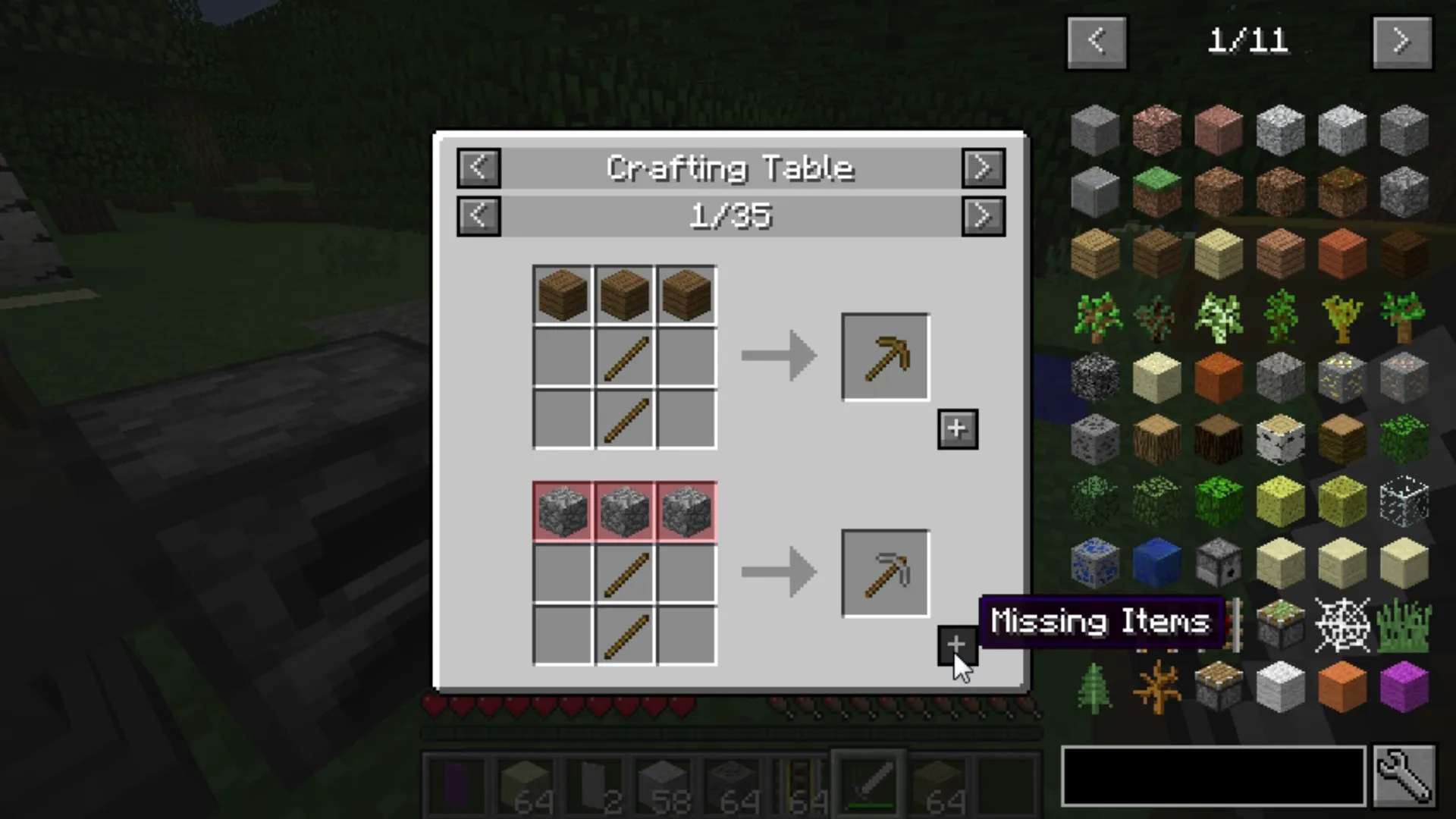
Just Enough Items integrates with your survival inventory by placing a complete visual index of every registered Minecraft block quietly on the right side of the screen. It leaves your character model and standard crafting grid completely unobstructed looking and behaving like a natural extension of the vanilla game.
The integration goes much deeper than just a static catalog. Finding a strange new ore deep underground normally forces you out of the game to check a wiki. Now you just hover over the item and press R to immediately see the required furnace smelting time.
Pressing U flips that interaction entirely by showing exactly what you can build with that specific material. As you progress into complex technology trees that simple lookup tool seamlessly evolves into a necessary project manager. Tracking dozens of intermediate gears and circuits gets messy fast.
Pressing A over any component pins it directly to the left side of your screen forming a permanent visual checklist. Once your mining run is complete clicking a small plus icon throws those gathered materials straight into your crafting grid. The mod handles all the tedious inventory arrangement so you can actually focus on engineering your base.
Adapting To Different Playstyles
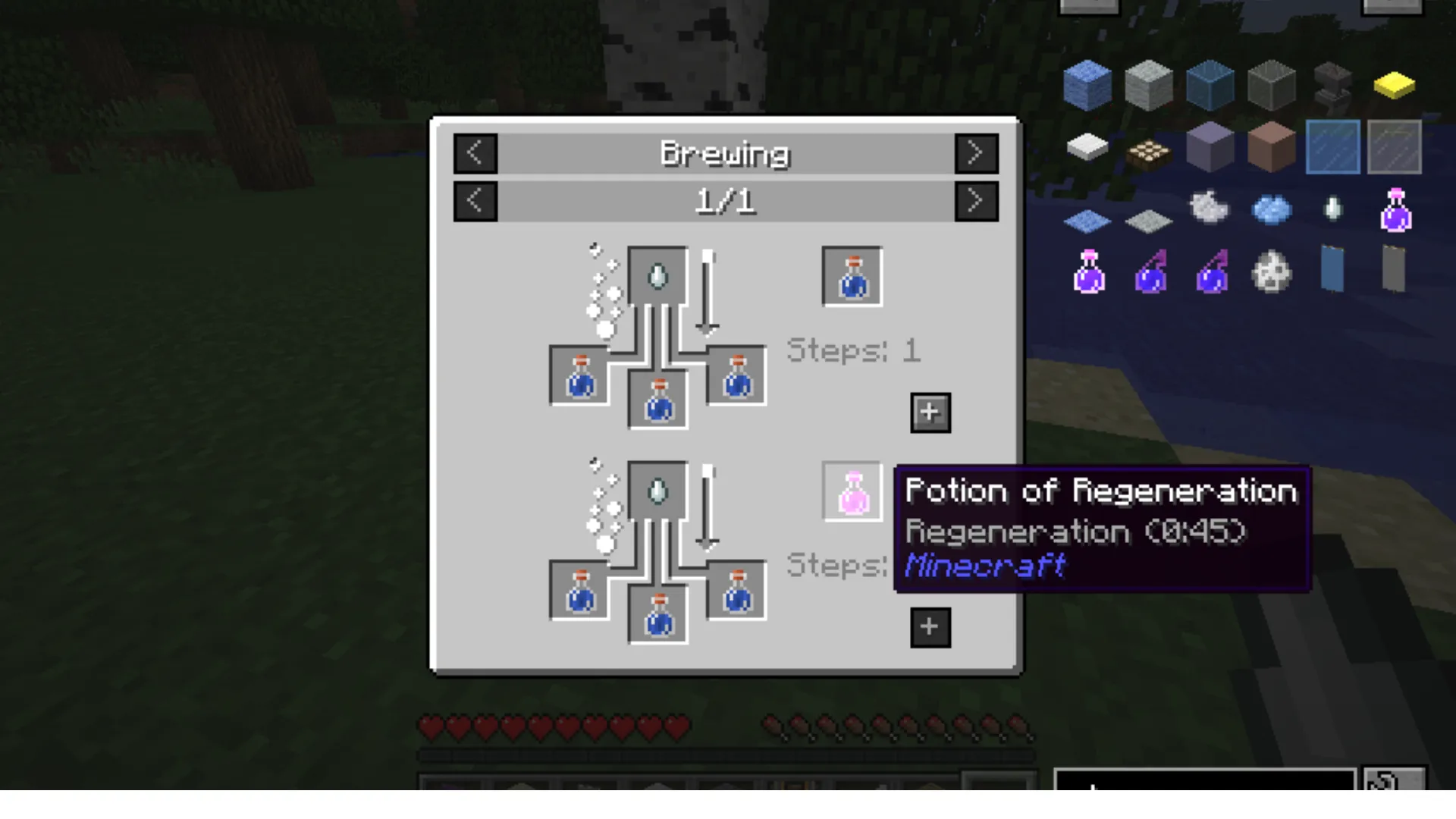
JEI adapts easily to different ways of playing Minecraft. In survival the default Recipe Mode gives you all the useful information without interfering with progression. You can check recipes, explore item uses and plan builds while still earning every material yourself.
For creative building Cheat Mode turns that same item list into a much faster inventory. Hold Control and click the small wrench icon, then left click any item to place a full stack directly into your inventory.
Instead of digging through vanilla creative tabs you can simply search for the block you need and keep building. Leave Cheat Mode disabled and JEI remains exactly what survival players need: a better recipe book without any shortcuts.
The Advanced Query Engine
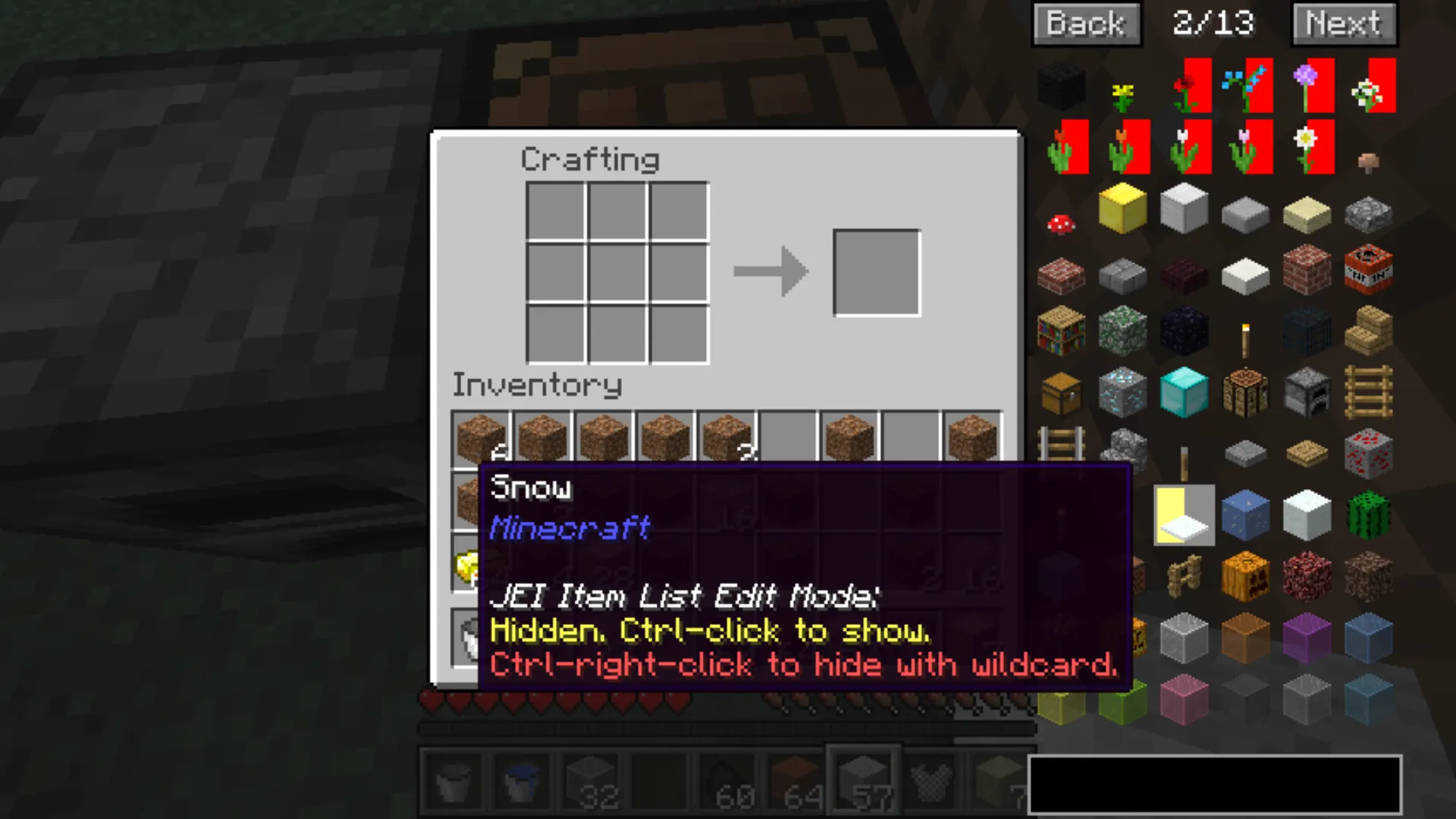
JEI's search bar becomes especially useful once a modpack starts filling the item list with thousands of blocks. Instead of scrolling endlessly you can filter the entire index with a few simple commands.
Typing @create, for example, shows only items from the Create mod. Combine that with a normal search such as andesite @create and JEI narrows the results down even further.
Other prefixes let you search beyond item names. # checks tooltip text, while $ searches item tags and can group related materials even when their names differ. A color filter using ^ is also available once enabled in the settings.
For larger modpacks these filters turn an overwhelming item list into something you can navigate in seconds.
The Bedrock Of Modern Modpacks
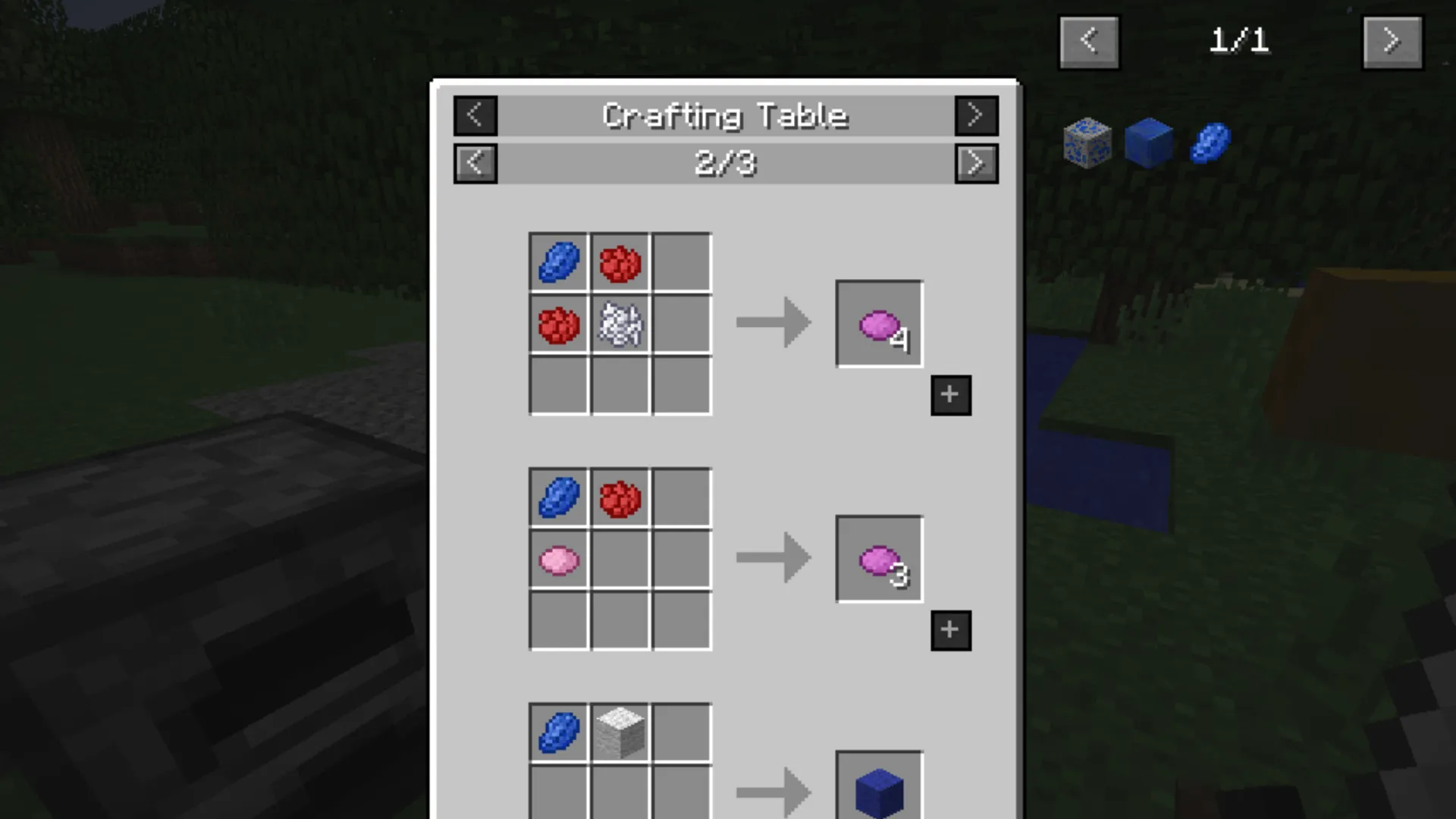
The interface is only half of what makes JEI so useful. Other mod developers can connect their own crafting systems directly to it, which means the recipe viewer keeps working even when a mod completely abandons Minecraft's standard crafting grid.
Look up a weapon made inside a custom smeltery and JEI can show the casting process, required materials and relevant machine steps. Search for a complicated gear from a technology mod and it can display the mechanical crafting setup needed to produce it.
Magic mods can do the same with their own resources, machines and progression systems. Once several major mods start overlapping, every system brings its own machines, materials and crafting rules. JEI pulls all of those systems into the same recipe viewer, so figuring out the next step never turns into a hunt through separate menus or wikis.
It effectively becomes the shared reference point connecting dozens of otherwise independent mods.
Multiplayer adds one important consideration on modern versions. Recipe information can be synchronized from the server, so JEI may also need to be installed server-side for all supported recipe data to appear correctly. The mod does this without replacing Minecraft's core files, helping it remain a practical choice even for larger servers running extensive modpacks.
Installation And Setup
Before installing JEI, check which Minecraft version and mod loader you are using. The download has to match both. JEI currently supports Forge, Fabric and NeoForge, although availability depends on the Minecraft version you are running.
A basic installation looks like this:
- Check your Minecraft version and mod loader. A JEI file built for NeoForge will not work in a Fabric setup, and even a small Minecraft version mismatch can stop the game from launching.
- Download the matching JEI file. CurseForge lists each release alongside its supported Minecraft version and loader, making this the easiest place to double-check before installing.
- Open your Minecraft folder and find the mods folder. Create one if it is not already there.
- Drop the JEI .jar file inside and launch Minecraft through the correct modded profile.
Once a world loads, JEI should appear immediately beside the normal inventory screen. There is no separate setup process or database to build before you can start searching recipes.
Most installation problems come from mixing versions or loaders, so that is the first thing worth checking if Minecraft crashes on startup. JEI is also updated regularly for current Minecraft releases, with active builds available for both Fabric and NeoForge on the newest versions.
Final Verdict
Once you start using larger modpacks, JEI quickly becomes difficult to replace. Recipes from completely different mods appear in one searchable interface, unfamiliar materials are easy to trace and even complicated crafting chains become much easier to follow.
It also stays out of the way when you do not need it. Press Ctrl + O and the entire item overlay disappears, leaving the normal inventory screen behind. That makes JEI just as comfortable in a lightly modded survival world as it is in a pack containing hundreds of new machines, blocks and materials.
The Verdict
Just Enough Items removes most of the friction that comes with playing modded Minecraft. Recipes, item uses and even complex crafting systems from other mods stay searchable from one familiar interface. It takes a little time to learn the more advanced filters, but once a modpack starts growing, JEI becomes one of those tools you quickly stop wanting to play without.
The Good
- +Huge searchable index of blocks and items
- +Excellent recipe and usage lookup tools
- +Works with custom crafting systems from many other mods
- +Powerful search filters for large modpacks
- +Cheat Mode is useful for creative building
- +Overlay can be hidden instantly with Ctrl + O
- +Free and open source
The Bad
- -The item list can feel overwhelming in very large modpacks
- -Search prefixes take a little time to learn
- -Version and mod loader mismatches can cause installation problems
Tagged In
Discussion
0We want to hear from you. Share your perspective in the comments below, and please keep the conversation respectful.
Log in to join the discussion - vote, reply, and share your take.
Log In