
DLSS 5 looks better, but costs up to 70% performance
DLSS 5 improves lighting, skin and hair in NBA 2K27, but early RTX 50 testing shows performance losses of roughly 40% to more than 70%.
DLSS has usually been something you turn on to improve performance. With DLSS 5, Nvidia is asking you to trade some of that performance for a better image.
In NBA 2K27, skin, hair and lighting can look noticeably better, but early tests show frame-rate drops of 40% to 75%. At 4K, even the RTX 5090 fell from 192fps to 76fps, while the RTX 5080 and RTX 5070 dropped below 60fps.
That makes DLSS 5 a difficult setting to recommend at higher resolutions unless you have plenty of performance to spare. At launch, the RTX 5090 is the only card that makes a strong case for using it at 4K without relying heavily on generated frames.
DLSS 5 adds more work to each frame
DLSS 5 costs performance because it adds another step after games have already rendered the frame.
Super Resolution renders the game below your display's native resolution and then rebuilds the final image. Frame Generation adds extra frames between the ones the game actually renders. Neural Rendering comes after that work and improves the finished frame itself.
To do that, DLSS 5 looks at the current frame together with information from the game engine, including motion vectors, data from previous frames and settings chosen by the developer. Nvidia's technical report says a single-step diffusion model then produces the final image.
The model can improve lighting and materials on skin, hair, clothing and other surfaces without the game having to render all of those details in the usual way. Nvidia also says the result is deterministic, which helps keep faces and objects consistent as they move from one frame to the next.
Developers have a lot of control over where the effect is used. They can adjust its structure and tone, or use masks to treat characters, scenery and individual assets differently.
You do not get any of those controls in NBA 2K27. For players, DLSS 5 is simply switched on or off.
NBA 2K27 shows the difference most clearly up close
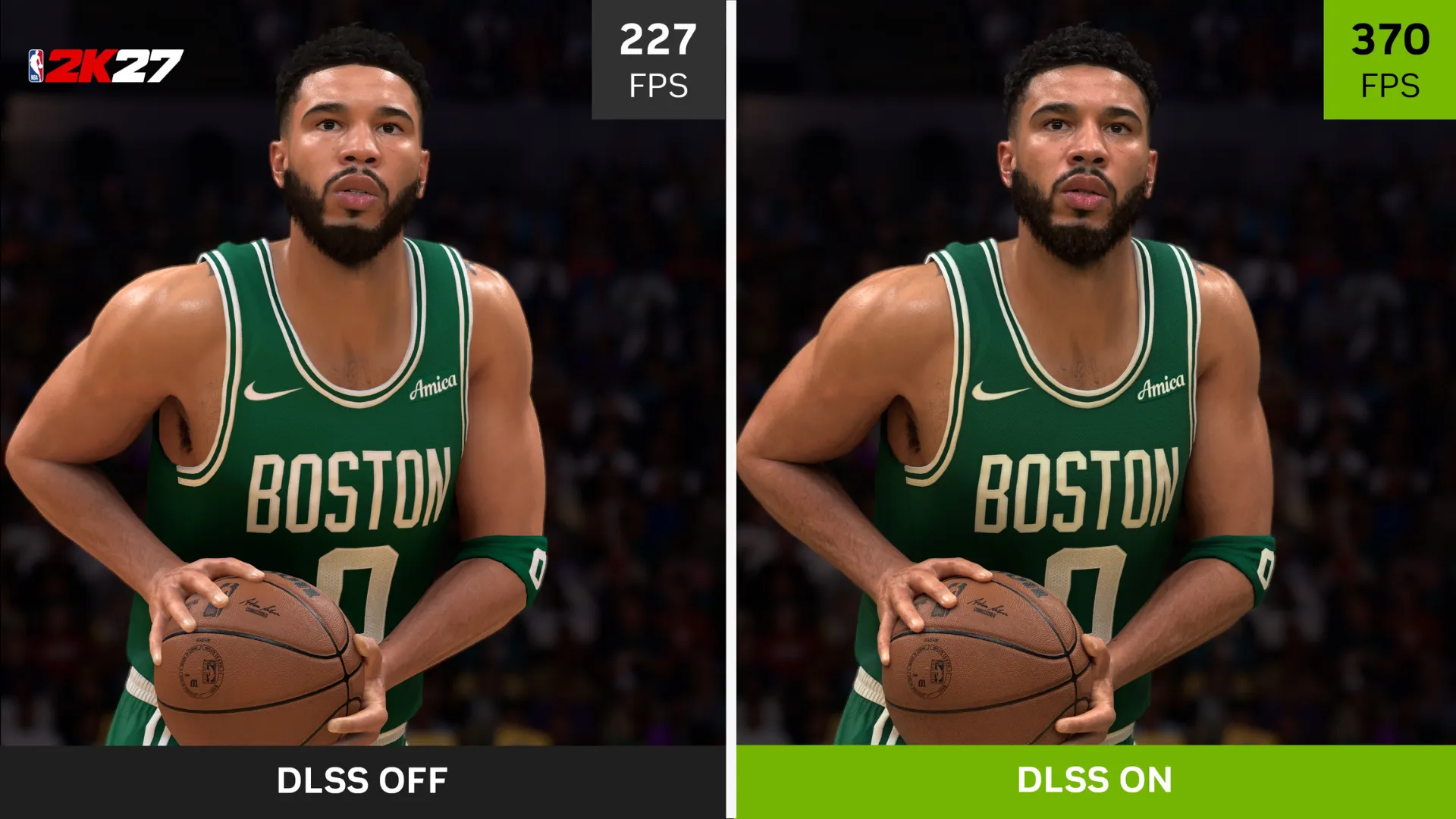
NBA 2K27 gives DLSS 5 plenty of opportunities to work on faces, skin, hair and clothing under bright arena lighting.
Skin looks more natural, shadows around faces and jersey collars are stronger, and light passes through hair more convincingly. Clothing also reacts better to the surrounding light without changing the scanned geometry underneath.
You notice the difference most during player introductions, locker-room scenes and replays. Testing on an RTX 5070 found that faces looked less flat, sweat appeared more natural and folds in clothing picked up more detail.
During a regular match, the improvement is much harder to notice. The camera is farther away, and you are usually watching passing lanes, positioning and the ball rather than the way light falls across a player's skin.
That is the main limitation of the effect in NBA 2K27. DLSS 5 looks best in close-ups and replays, while the performance cost stays with you throughout the entire match.

Higher resolutions make the performance hit much worse
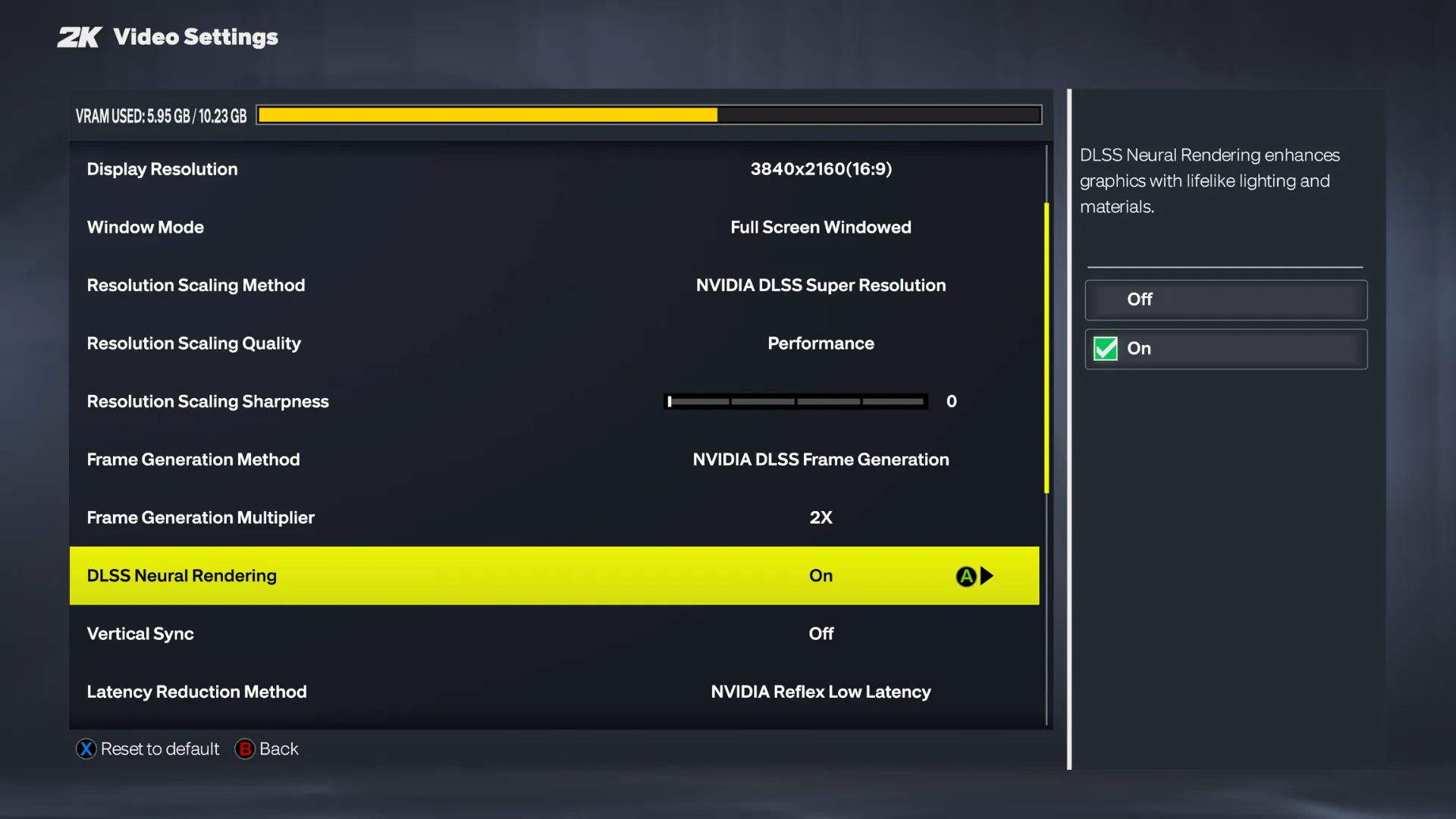
DLSS 5 processes the final output resolution rather than the lower internal resolution used by Super Resolution.
If you are playing on a 4K display, Neural Rendering still has to process a 4K frame even when DLSS is rendering the game internally at a much lower resolution.
Hardware Unboxed's testing estimated that the Neural Rendering pass takes around 7.9 milliseconds on an RTX 5090 at 4K. That rises to 13.7ms on an RTX 5080, 17ms on an RTX 5070 Ti and 22.1ms on an RTX 5070.
For context, a game running at 60fps has just 16.7ms to produce each frame.
On an RTX 5070 Ti, the DLSS 5 pass alone already takes longer than that before the rest of the game has been rendered. The RTX 5070 needs even more time.
A faster game also has more room to absorb the cost. At 120fps, each frame normally takes about 8.3ms. Add the RTX 5090's 7.9ms Neural Rendering pass and the result falls to roughly 62fps. Start at 60fps instead and the same extra processing time drops performance to around 41fps.
Lowering graphics settings does surprisingly little to help.
On an RTX 5090 at 4K, reducing NBA 2K27 from its maximum preset to High improved DLSS 5 performance by only 2fps. On an RTX 5060 Ti at 1440p, switching from DLAA to DLSS Quality moved performance from 46fps to 50fps. Without Neural Rendering, the same change improved performance by 28%.
Once Neural Rendering becomes the expensive part of the frame, reducing the work elsewhere only gets you so far.
Frame Generation can hide the loss on the fps counter
Nvidia advertises up to 370fps at 4K and 590fps at 1440p on an RTX 5090, but those figures include 6X Multi Frame Generation.
Multi Frame Generation adds AI-generated frames between the ones your GPU actually renders. The result can look much smoother, especially on a high-refresh display, but the game is still responding from the lower frame rate underneath.
Without generated frames, DLSS 5 looks much less extreme:
| GPU | Resolution | DLSS 5 frame rate |
|---|---|---|
| RTX 5080 | 1440p | 102fps |
| RTX 5070 Ti | 1440p | 86fps |
| RTX 5070 | 1440p | 67fps |
| RTX 5060 Ti | 1080p | 78fps |
| RTX 5060 | 1080p | 73fps |
Those numbers are still perfectly playable in NBA 2K27. An RTX 5080 at 102fps has plenty of room for Frame Generation to make an already smooth game look even smoother. On an RTX 5070 at 67fps, generated frames become much more important if you want a high-refresh presentation.
The important number is therefore the frame rate before Frame Generation is added. DLSS 5 can improve the image and generated frames can make the result look smoother, but neither changes how much real performance Neural Rendering has already taken away.
DLSS 5 is a luxury setting for now
NBA 2K27 gives us a first proper look at what DLSS 5 can do. The visual improvements are real, especially in close-ups, but so is the amount of performance you give up to get them.
The version shown in March needed two RTX 5090 GPUs, while the launch model now runs across the RTX 50 series on a single card. More optimizations are planned, and RTX 40-series support is expected later.
How useful DLSS 5 becomes will also depend heavily on the game. NBA 2K27 is a good fit because it constantly puts realistic faces, skin and clothing on screen. In a faster game, or one where those details are harder to notice while playing, losing half your frame rate may be much harder to justify.
DLSS 5 can make a game look better, but you need a powerful GPU and a game that actually benefits from the extra detail.
Until Nvidia brings the performance cost down, Neural Rendering feels less like the DLSS we already know and more like an ultra-quality setting for players willing to trade frames for a better image.
Tagged In
Discussion
0We want to hear from you. Share your perspective in the comments below, and please keep the conversation respectful.
Log in to join the discussion - vote, reply, and share your take.
Log In