Steam Frame Release Date, Price, Specs And Everything You Need To Know
Valve's Steam Frame is a standalone SteamOS VR headset. Here's what we know about its release date, price, specs, games, controllers, tracking and battery.
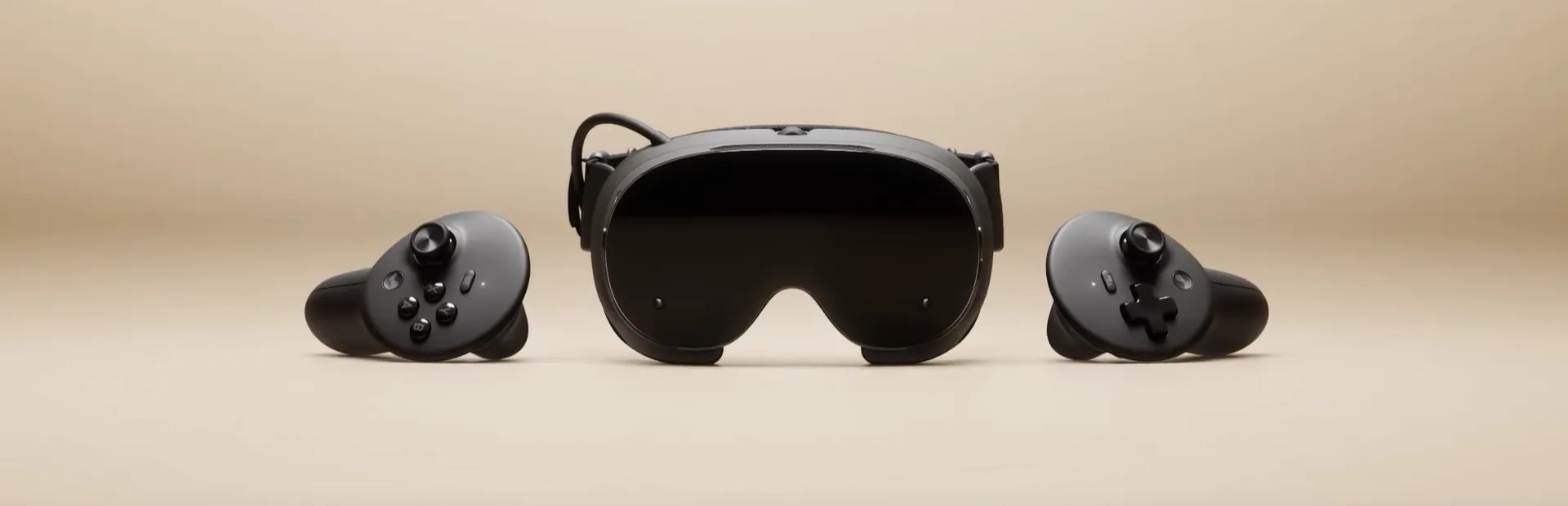
Valve is returning to VR with the Steam Frame, a standalone SteamOS headset built to play both VR games and the rest of your Steam library. You can run supported games directly on the headset or stream more demanding PC games wirelessly from a gaming PC.
You also won't need the base stations or cable used by the Valve Index. The Frame handles its own tracking, comes with two motion controllers and uses a dedicated wireless adapter when streaming from a PC.
Valve calls it a streaming-first headset, but the standalone hardware is a big part of the package. Inside you'll find a Snapdragon 8 Gen 3 processor, 16GB of memory and either 256GB or 1TB of storage. Here's everything we currently know about the release date, price, specs, games, controllers and battery life.
Steam Frame still has no exact release date
Valve still says the Steam Frame will launch in summer 2026, but as of August 31 there is no exact release date and very little of that window left. At this point, Valve is cutting it rather fine.
The headset was originally announced for early 2026 before memory and storage shortages forced Valve to rethink both its timing and pricing. The company later settled on a broader summer release window, which is now quickly running out.
There are at least signs that launch preparations are moving along. Valve's Great on Frame compatibility program is already live, with 99 games currently listed as compatible. That includes VR games such as Beat Saber, Walkabout Mini Golf VR and Job Simulator, alongside regular Steam games including Hades II, Balatro and Portal 2.
Valve also received FCC authorization for hardware model 1015 on July 29, clearing another step before a US release.
Steam Frame is still listed as Coming Soon on Steam, so unless Valve changes the window again, an announcement will need to come fairly soon.
No news on the Steam Frame price yet
There is no official Steam Frame price yet.
When Valve announced the headset, it said it was aiming for a price below the $999 Valve Index full kit. That target was set before the company said memory and storage shortages had become severe enough to affect its hardware plans, so it should not be treated as a guaranteed launch price.
We do know there will be two storage options. The base model comes with 256GB, while the larger version includes 1TB. Both also have a microSD slot if you need more space later.
Valve has not confirmed how much the two versions will differ in price, and there is little value in guessing while component costs are still part of the equation.
A standalone headset built around your Steam library
Steam Frame can work with or without a gaming PC.
On its own, the headset runs SteamOS on a Qualcomm Snapdragon 8 Gen 3 ARM processor. Supported games can be installed directly onto its internal storage and played without connecting to another computer.
Connect it wirelessly to a gaming PC and that PC does the heavy lifting instead. SteamVR runs the game on your computer and streams the result to the headset, giving you access to games that would be far too demanding for the Snapdragon chip to run locally.
You are not limited to VR games either. Valve supports normal flatscreen Steam games on Frame, and the included controllers reproduce the inputs of a traditional gamepad. You could play a standalone VR game, stream something like Half-Life: Alyx from your PC and then open a normal Steam game without changing the headset.
Unlike Valve Index, Steam Frame does not need a cable, a gaming PC or external Lighthouse base stations to work.
Inside The Steam Frame
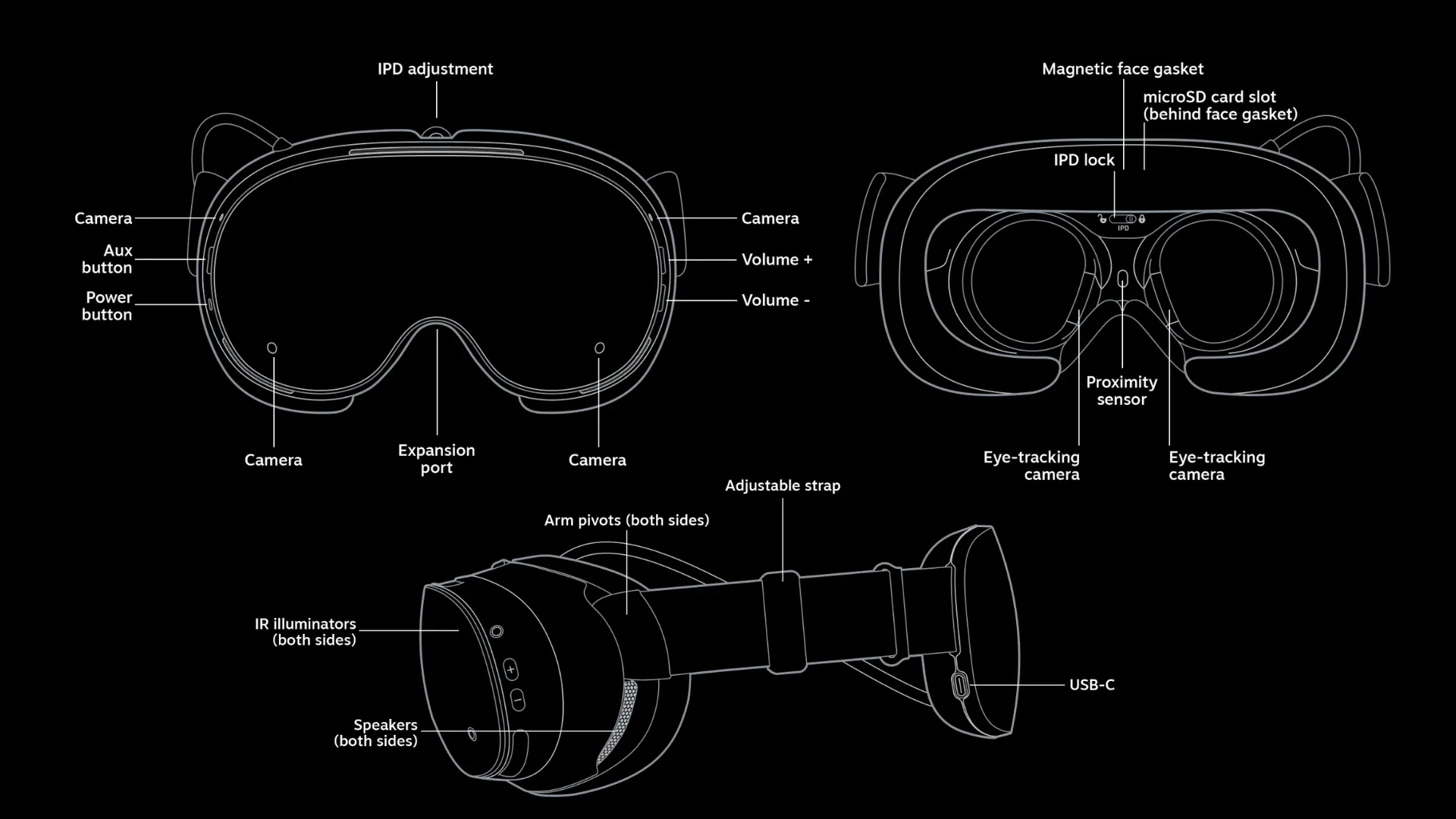
Steam Frame uses mobile hardware for standalone gaming, with the Snapdragon 8 Gen 3 paired with 16GB of LPDDR5X memory. Valve then adds its own SteamOS software and compatibility layers on top.
The full hardware setup looks like this:
| Component | Steam Frame |
|---|---|
| Processor | Qualcomm Snapdragon 8 Gen 3 |
| Architecture | ARM64 |
| Memory | 16GB LPDDR5X |
| Storage | 256GB / 1TB |
| Expandable storage | microSD |
| Operating system | SteamOS |
| Display | Dual LCD |
| Resolution | 2160 × 2160 per eye |
| Refresh rates | 72Hz / 90Hz / 120Hz |
| Experimental refresh rate | 144Hz |
| Optics | Pancake lenses |
| Field of view | Up to 110° |
| Wi-Fi | Wi-Fi 7 |
| Bluetooth | Bluetooth 5.3 |
| Battery | 21.6Wh |
| Tracking | Inside-out |
| Eye tracking | Yes |
The Snapdragon 8 Gen 3 is powerful mobile silicon, but it is still very different from the hardware inside a gaming PC. That is why Valve puts so much emphasis on streaming. Smaller and better-optimized games can run directly on the headset, while demanding PC VR games can use the GPU in your desktop instead.
Sixteen gigabytes of memory gives Frame plenty to work with for standalone software, while the microSD slot makes the 256GB version easier to expand if your local library starts filling the internal storage.
The Displays Use Pancake Lenses And Reach Up To 120Hz
Each eye gets a 2160 × 2160 LCD display behind pancake lenses, with a field of view of up to 110 degrees. Normal refresh-rate options include 72Hz, 90Hz and 120Hz, while Valve also provides an experimental 144Hz mode.
Pancake lenses allow Valve to keep the front of the headset much thinner than the Fresnel-lens design used by Index. You can also adjust the IPD to line the lenses up with your eyes, and Valve includes a spacer for glasses.
The panels are LCD rather than OLED, so anyone hoping for the deeper blacks associated with OLED displays will not get them here. The resolution is much higher than Index, though, which used 1440 × 1600 pixels per eye.
Steam Frame connects directly to your gaming PC
Steam Frame includes a wireless adapter specifically for streaming from a gaming PC. Plug it into your PC, pair the headset through SteamVR and Frame can connect directly to the computer without sending the VR stream through your normal home router.
The headset has separate wireless connections for that stream and normal network traffic. The dedicated adapter uses a 6GHz connection for the game, while Frame can stay connected to your regular Wi-Fi for internet access.
The dedicated 6GHz connection avoids relying on your normal home network, where router placement, congestion and other devices can affect latency and image quality. Valve's adapter gives the headset a direct connection to the PC instead.
Demanding PC VR games still need a capable gaming PC, but Steam Frame lets you play them without a cable running to the headset..
Eye tracking helps reduce the amount of data being streamed
Valve uses Steam Frame's eye tracking for a feature called foveated streaming.
The headset keeps track of where you are looking and sends the highest image quality to that part of your view. Areas farther into your peripheral vision can use less data, reducing the bandwidth needed for the wireless stream.
This is different from foveated rendering. With rendering, the game itself reduces graphics work outside the area you are looking at. Foveated streaming happens when the finished image is being sent from the PC to the headset, so games do not need to be individually updated to support it.
The result is a smarter use of the wireless connection without asking developers to create a special Steam Frame version of their PC VR game.

Steam Frame can also run games without a PC
Steam Frame runs on a Snapdragon 8 Gen 3 processor using ARM64 architecture, while most Windows PC games are still built for x86 processors. Valve bridges that gap with Proton and FEX, allowing existing Windows games to run on SteamOS while their x86 instructions are translated for the headset's ARM64 hardware.
Valve says this is the preferred route for many developers, as it means they can keep using their existing Windows build instead of maintaining a separate Steam Frame version. Native ARM64 software is supported as well, while Android games can run through Lepton, Valve's compatibility layer for Android software on Linux
Steam Frame verified shows you which games run well locally
Being able to launch a PC game on Snapdragon hardware does not automatically mean it will run well. Valve's standalone compatibility program rates games as Verified, Playable, Unsupported or Unknown.
For non-VR games, Verified requires at least 30 FPS at 1280 × 720 during regular gameplay. Standalone VR games have a much tougher target of at least 72 FPS at 1728 × 1728, while VR games running below 1440 × 1440 are marked Unsupported.
These ratings only cover games running directly on Steam Frame. A demanding PC VR game can still work perfectly well when streamed from a gaming PC, even if the headset cannot run it on its own.
That means the Snapdragon chip only has to handle standalone games. For streamed PC VR, your gaming PC provides the performance instead.
Steam Frame controllers work with VR and normal games
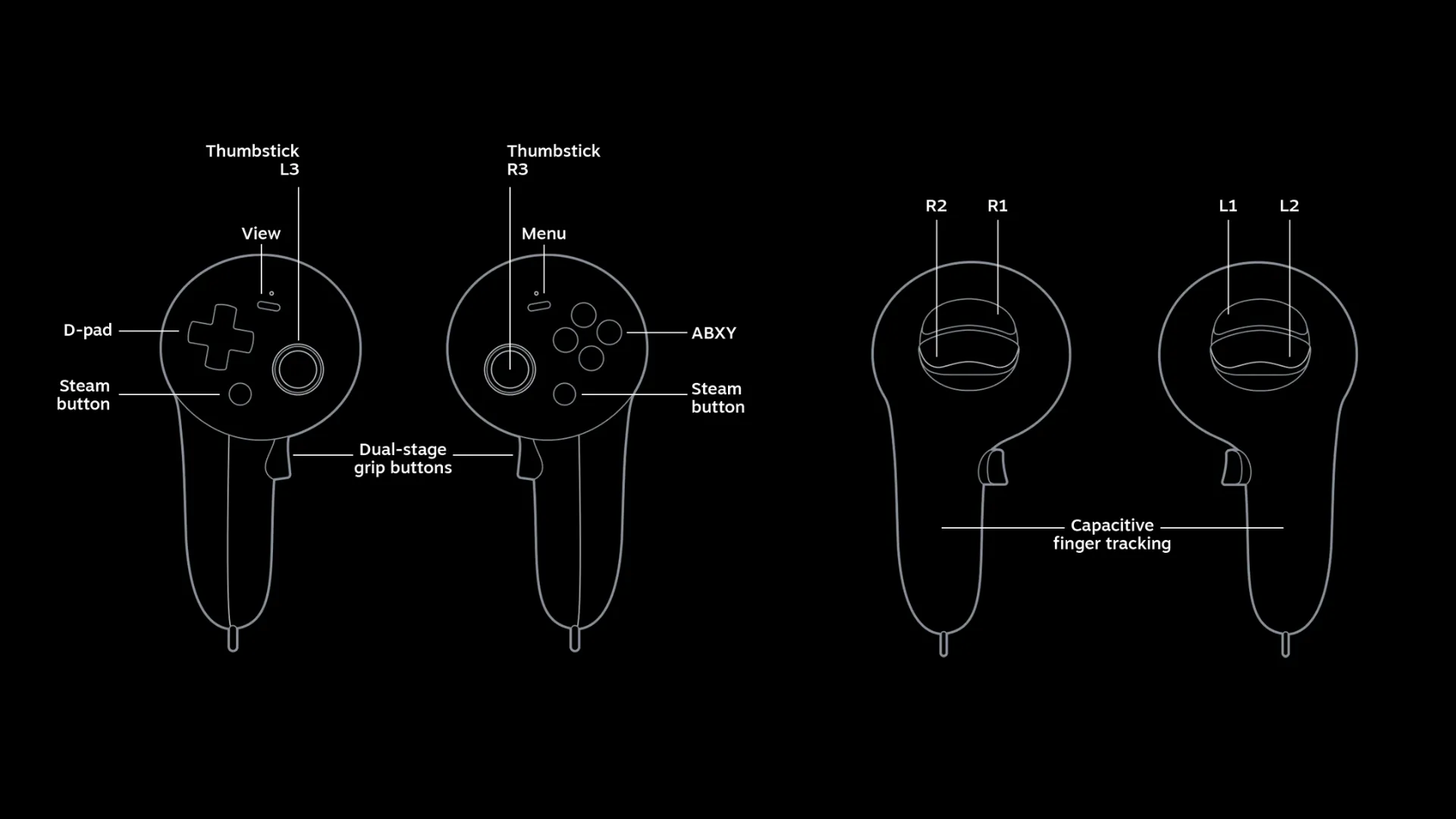
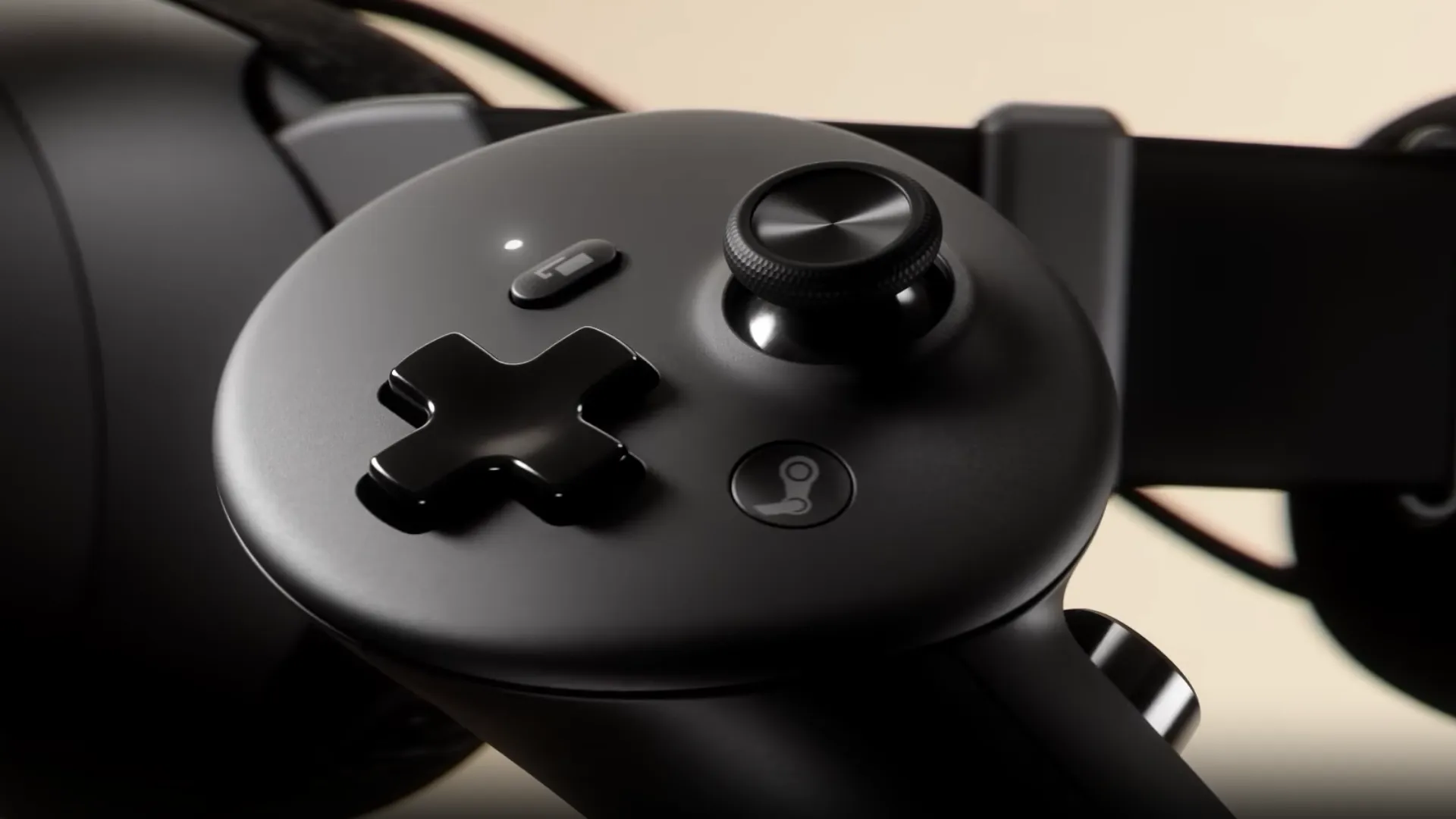
Steam Frame comes with two motion controllers, with a traditional gamepad layout split across both hands for playing regular PC games.
The main controller specs look like this:
| Feature | Specification |
|---|---|
| Tracking | Full 6DoF |
| Thumbsticks | TMR |
| Face controls | ABXY and D-pad |
| Triggers and bumpers | Yes |
| Grip controls | Dual-stage |
| Finger sensing | Capacitive |
| Haptics | Yes |
| Battery | 1× replaceable AA per controller |
| Battery life | Around 40 hours |
| Non-VR support | Steam Input |
The same controllers also need to work with existing VR games
SteamVR can automatically map existing OpenXR Generic Controller or Oculus Touch bindings to the Steam Frame controllers when a game does not have its own dedicated layout.
The TMR thumbsticks use magnetic sensing instead of the physical-contact mechanism found in traditional potentiometer sticks, while capacitive sensors can detect finger contact across the buttons and grips.
Each controller uses one replaceable AA battery, with Valve quoting around 40 hours of battery life.
Inside-out tracking means you don't need base stations
Steam Frame tracks itself and its controllers using cameras built into the headset. Four outward-facing monochrome cameras handle inside-out tracking, while two internal cameras are used for eye tracking. IR illumination also helps the tracking system continue working in darker rooms.
You no longer need Lighthouse base stations or other external tracking hardware around the room, which makes setup much simpler than it was with Valve Index.
The outward cameras can also show your surroundings when you need to see the room without removing the headset. Passthrough is monochrome rather than full colour, so Frame is clearly less focused on colourful mixed-reality experiences than some newer standalone headsets.
For traditional VR gaming, however, the simpler setup may be more important than the colour of the passthrough feed.
The battery helps balance the headset
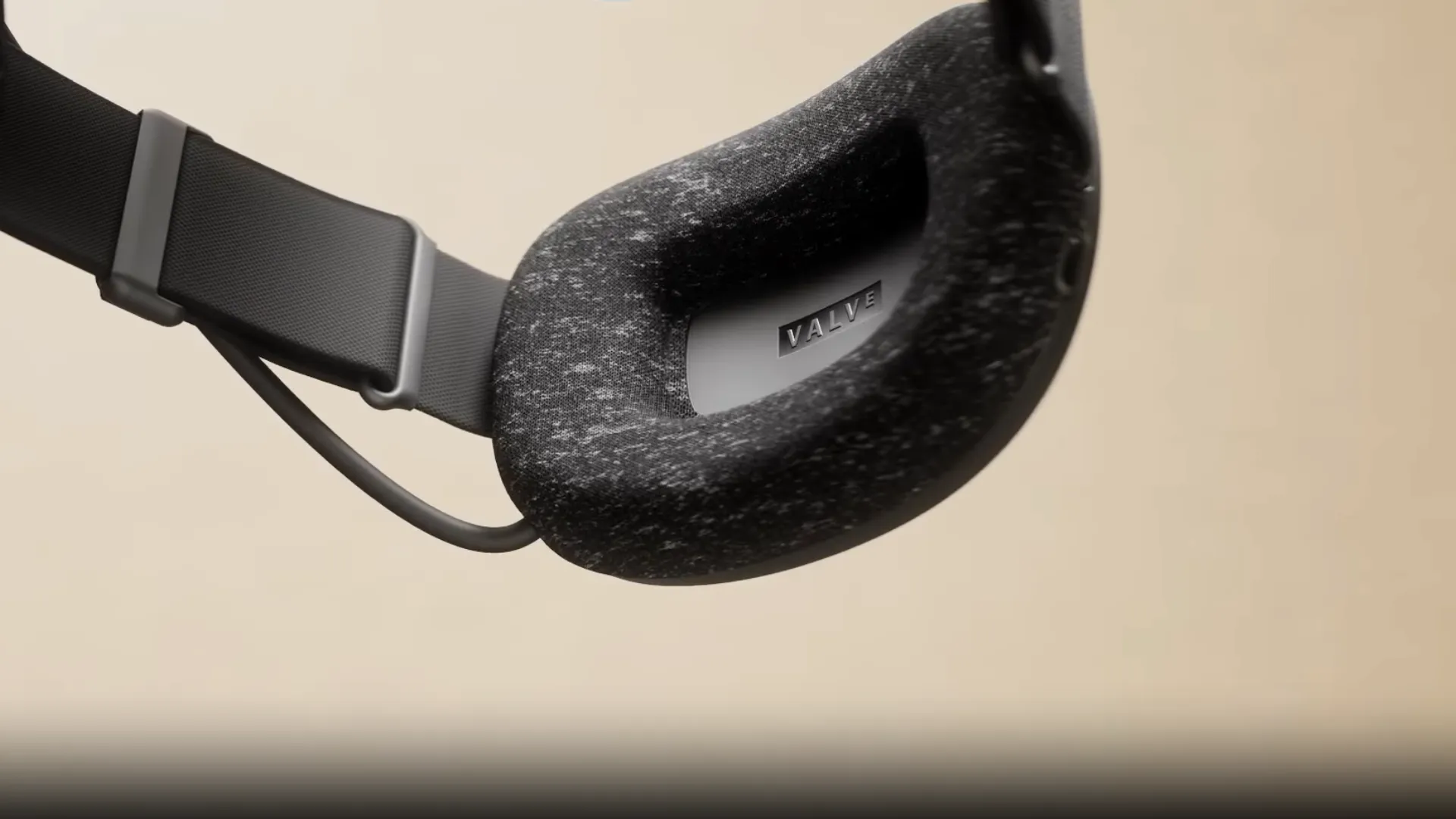
Valve has moved the Steam Frame's 21.6Wh battery to the back of the head strap rather than packing it into the front visor.
The core headset module weighs around 185g, while the complete setup with the strap, battery, facial interface and audio hardware comes in at roughly 440g. Moving the battery behind your head helps counterbalance the displays and computing hardware sitting in front of your face.
The strap and facial interface are also part of a modular design, so Valve and other hardware makers have room to offer alternative accessories later.
Valve has confirmed the 21.6Wh battery capacity, but has not yet given an official battery-life estimate. The headset charges over USB-C, so any specific runtime figures currently circulating should still be treated as estimate
What we know about Steam frame so far
Steam Frame combines a standalone SteamOS computer with a wireless PC VR headset. It can run supported VR and flatscreen games directly on its Snapdragon hardware, while Proton, FEX and Lepton help bring software built for Windows, x86 and Android onto the ARM-based device.
For more demanding games, the included wireless adapter lets a gaming PC handle the rendering instead. Eye tracking helps reduce the bandwidth needed for that stream, while inside-out tracking removes the cable and Lighthouse base stations required by Valve Index.
The hardware itself is already fairly well defined. We know the processor, displays, controllers, storage options, tracking system and 21.6Wh battery.
The two big questions are still the simplest ones. Valve has not announced exactly when Steam Frame will arrive this summer or how much either storage version will cost.
Tagged In
Discussion
0We want to hear from you. Share your perspective in the comments below, and please keep the conversation respectful.
Log in to join the discussion - vote, reply, and share your take.
Log In